.png)
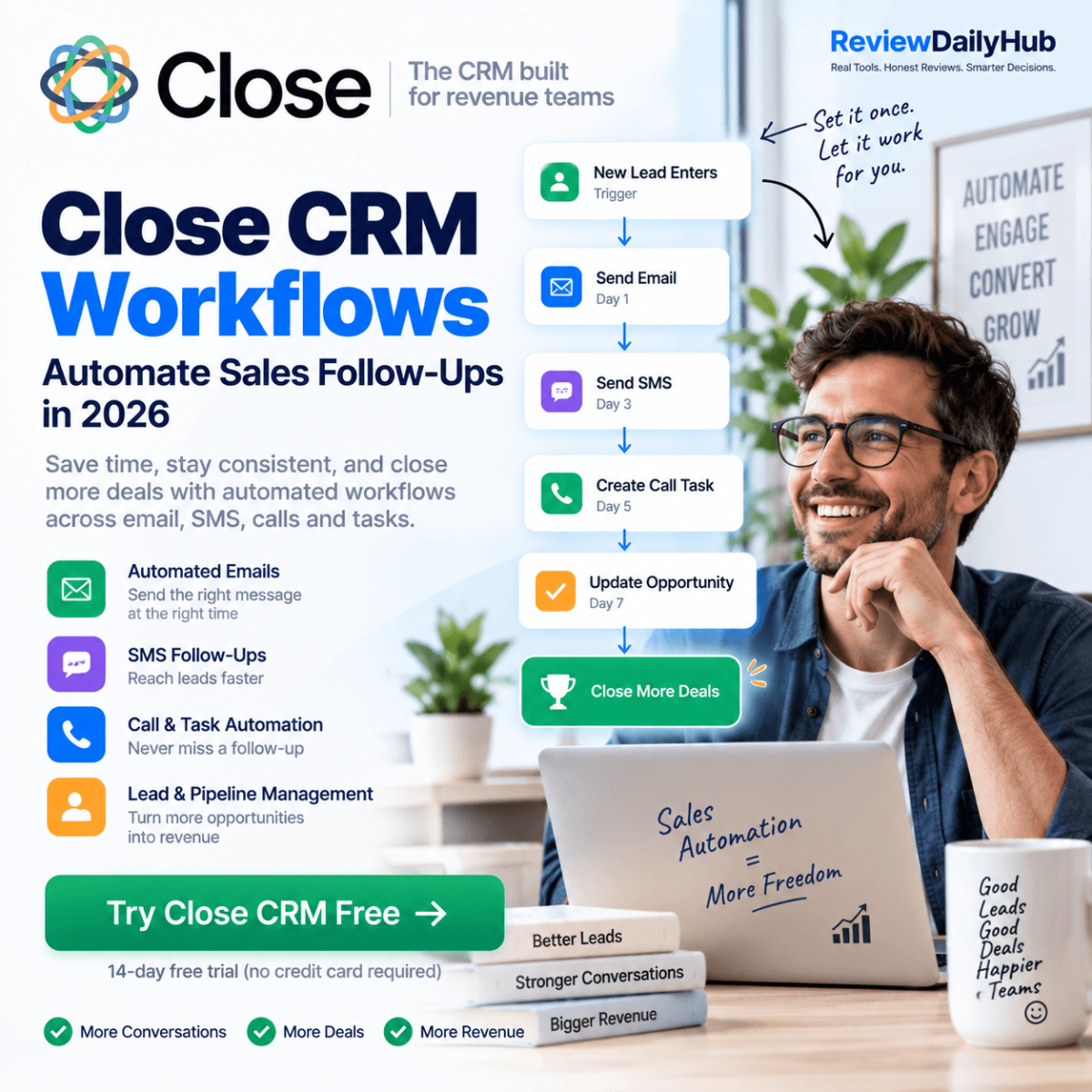
Sales teams often don't lose opportunities because they lack leads. They lose them because follow-ups are inconsistent. A prospect receives an email, someone plans to call them later, another task gets buried in the CRM, and eventually the opportunity goes cold.
Close CRM Workflows are designed to automate much of this repetitive sales work. Instead of manually remembering when to email, call, text, assign a task or update an opportunity, you can create workflows that execute these actions based on triggers and conditions.
Close currently supports workflow automation for actions such as email, SMS, calls, tasks, lead updates, opportunity creation and user assignment — verified directly against Close's own documentation as of September 2026.
|
See how Close Workflows handle follow-ups automatically.
Try Close CRM Free →
|
Close CRM Workflows are automated sequences that help sales teams manage repetitive sales activities. A workflow starts with a trigger and then performs a series of predefined actions. For example:
New Lead | → | Assign Sales Rep | → | Send Email | → | Wait | → | Send SMS | → | Create Task | → | Follow Up |
Instead of a salesperson manually managing every step, Close can handle the workflow automatically. According to Close's current documentation, workflows can be triggered manually on an individual lead or contact (or in bulk), or automatically based on Lead, Custom Activity, Opportunity, Contact, Call, Meeting and Form-submission events — each with optional conditional filters (for example, only when an opportunity is marked "Won" and its value is above a set amount).
Typical workflow components — a Close workflow can include:
This makes Close more than a CRM database — for the full breakdown of Close's core features beyond workflows, see Close CRM features. With Workflows, Close can become part of the actual sales execution process.
The basic logic is straightforward:
1. Define the trigger — the trigger determines when the workflow starts. Examples include:
2. Define the actions — after the trigger, Close executes the actions you've configured. For example:
New Qualified Lead | → | Assign Salesperson | → | Send Intro Email | → | Create Follow-Up Task | → | Send SMS | → | Create Opportunity |
The exact workflow can be customized according to the sales process. Close also supports Run Once (the default for communication steps, preventing duplicate messages) and Run Multiple execution modes, plus Workflow Goals that pause a sequence automatically once a lead replies, calls in, books a meeting or changes status.
Email automation is one of the most useful applications of Close Workflows. A sales team can create a sequence that automatically follows up with prospects instead of relying entirely on manual reminders. For example, an Example B2B Lead Follow-Up Workflow:
| Day 0 | Send introduction email. |
| Day 2 | Create follow-up task. |
| Day 4 | Send another email if there is no response. |
| Day 6 | Send SMS. |
| Day 8 | Create call task. |
| Day 12 | Move the lead to another stage or create an opportunity. |
This type of workflow can help sales representatives maintain consistent follow-up. Close's communication system also combines email, calling and SMS inside the CRM rather than requiring separate tools for each channel.
|
Ready to put your follow-ups on autopilot? Try Close free and build your first workflow.
Try Close CRM Free →
|
Close also supports SMS as part of sales workflows. That means sales teams can combine email, SMS, calls and tasks instead of running each communication channel separately. For example:
New Lead | → | Email | → | SMS Reminder | → | Call Task | → | Follow-Up Email |
Close's documentation confirms that SMS can be used as a workflow step and can be scheduled alongside other workflow actions, within default communication windows (Monday-Friday, 9 AM-4 PM in the recipient's local timezone).
One important limitation is that SMS availability depends on supported phone numbers and countries, so businesses should verify their specific communication requirements before building an SMS-heavy workflow.
One of the strongest use cases is automated lead follow-up. Consider a company receiving 50-100 new leads per week. Without automation, sales representatives need to:
A workflow can automate many of these repetitive actions. Close specifically positions its sales automation around keeping leads from going cold and automating follow-ups based on lead activity.
Example: Close CRM Workflow for New Leads — here's a simple workflow that a small B2B sales team could build:
| Trigger | New qualified lead |
| Step 1 | Assign lead to a salesperson. |
| Step 2 | Send an introductory email. |
| Step 3 | Create a follow-up task. |
| Step 4 | If the prospect hasn't responded, send an SMS. |
| Step 5 | Create a call task. |
| Step 6 | If the prospect becomes an opportunity, update the CRM. |
| Step 7 | Continue the appropriate sales process. |
The objective isn't to eliminate salespeople. It's to eliminate repetitive administrative work so salespeople can spend more time actually selling.
| Manual Sales Process | Close Workflow |
| Check new leads manually | Trigger automatically |
| Assign leads manually | Assign automatically |
| Remember follow-up dates | Schedule actions |
| Write repetitive emails | Use templates |
| Remember SMS follow-ups | Automate SMS |
| Create repetitive tasks | Generate tasks |
| Update CRM manually | Automate updates |
| Track every opportunity manually | Workflow-based actions |
The biggest difference is consistency. A salesperson can forget a task. An appropriately configured workflow doesn't depend on someone remembering the next step.
Yes. Close is designed around combining multiple communication channels inside the sales CRM. Its current communication platform includes:
and its automation features can connect communication actions into sales workflows. This makes Close particularly relevant for teams whose sales process depends on rapid outbound follow-up rather than simply storing customer information.
Workflows can also be used beyond initial lead follow-up:
Use case 1: New Lead Routing
New Lead | → | Assign Rep | → | Notify | → | Start Follow-Up |
Use case 2: Stalled Opportunity
Opportunity Stalls | → | Create Task | → | Notify Rep | → | Follow-Up |
Use case 3: Won Opportunity
Opportunity Won | → | Update Lead | → | Assign Task | → | Start Customer Process |
Use case 4: Renewal
Renewal Approaching | → | Create Task | → | Email Customer | → | Assign Account Owner |
Close's workflow documentation specifically lists examples such as automatically updating leads after an opportunity is won, and assigning new leads before launching a sequence of email, SMS, task and call activities.
Close has also expanded its AI capabilities. As verified directly on Close's product pages, the platform currently includes:
This means the Close platform is moving beyond traditional CRM functionality toward a combination of CRM + Sales Communication + Automation + AI Sales.
|
Small B2B Sales Teams
Teams that need a simple way to standardize their sales process.
|
|
SaaS Companies
Especially companies running structured outbound sales campaigns.
|
|
Agencies
Can use automated lead routing and follow-up sequences to manage inbound opportunities.
|
|
Sales Development Teams
Teams conducting high-volume email, SMS and calling outreach can benefit from workflow-based processes.
|
|
Founders Doing Sales Themselves
Automation can reduce the amount of administrative CRM work involved in managing prospects.
|
Automation isn't automatically better simply because it is automated. You still need to design the workflow correctly. Potential issues include:
The best approach is usually to automate repetitive operational actions while keeping important sales conversations human.
Close is built specifically around sales communication and execution rather than functioning only as a contact database. Its current platform combines CRM functionality with calling, email, SMS, pipeline management, reporting and automation — see our Close CRM review for the complete feature and pricing rundown.
For teams that need automated follow-up across multiple sales channels, Close Workflows provide a way to turn a repeatable sales process into an automated sequence.
The important question is therefore not simply "Can Close automate sales?" — it can. The more useful question is: "Which parts of our sales process should we automate?"
If your sales process involves repetitive:
then Close Workflows are worth evaluating. The platform currently offers a 14-day free trial, so teams can test the workflow system against their own sales process before committing.
|
Automate Your Follow-Ups
Start Your Close CRM Free Trial
Close currently offers a 14-day free trial with no credit card required, so you can test workflow automation against your own sales process before paying anything.
Start Your Close CRM Free Trial →
Features and plan availability verified as of September 2026 — confirm current details directly with Close before subscribing.
|
Close CRM Workflows are automated sequences that perform sales and CRM actions based on triggers and conditions.
Yes. Email can be used as a workflow action, allowing teams to automate parts of their follow-up process.
Yes. SMS is supported as a workflow action, subject to Close's phone-number and country requirements.
Yes. Tasks can be created as workflow steps, along with actions such as assigning users and creating or updating opportunities.
Yes. Close currently offers several AI features, including Chloe (its AI voice agent), automatic call summaries, AI-driven CRM enrichment, pipeline intelligence and an AI email-editing tool.
Affiliate Disclosure: This article contains affiliate links. If you sign up through one of our links, ReviewDailyHub may earn a commission at no additional cost to you. Features and plan availability can change; verify current details directly with Close before subscribing. Information is accurate as of publishing (September 2026).